On this page
Why DMPlay comes as an APK
Google Play has strict rules for real-money games, so apps like DMPlay are shared as an APK file — the Android installation package — directly from their website. That is normal for this category, but it also means you are responsible for checking where the file comes from.
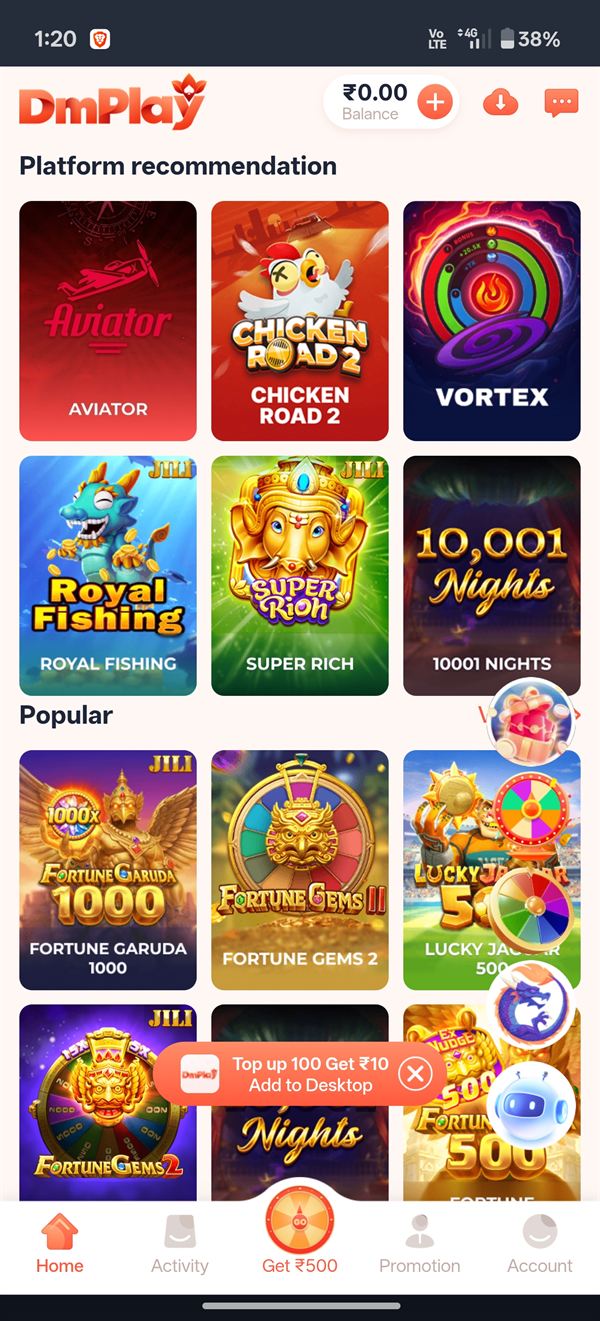
You also have a second option: inside the DMPlay web app a banner offers Add to Desktop, which puts a DMPlay icon on your home screen without installing anything.
APK vs web app vs "Add to Desktop"
| Option | Install needed | Best for |
|---|---|---|
| Android APK | Yes, about a minute | Regular Android players who want an app icon and notifications |
| Web app in Chrome | No | Quick play or low-storage phones |
| Add to Desktop / Home Screen | No | iPhone users and anyone who wants an icon without an APK |
Before you download: three quick checks
- Source: use the DMPlay APK download link only. Files forwarded in groups can be modified.
- Storage: keep at least 100 MB free so the install doesn't fail halfway.
- Android version: Android 7 or newer works best.
DMPlay APK download: install step by step
- Tap the Download APK button on this page (inside the app, the download icon sits next to your balance).
- If Chrome warns that "this type of file can harm your device", tap Download anyway only if the link came from the official source.
- Open the downloaded file from your notifications or the Downloads folder.
- When asked, allow Install unknown apps for Chrome (Settings → Apps → Chrome → Install unknown apps).
- Tap Install and wait a few seconds.
- Open DMPlay and log in — or register a new account if you are new.
- Go back to settings and switch Install unknown apps off again.
Permissions you should never allow
A colour prediction game needs internet access, and maybe notifications. It does not need to read your SMS, control your screen or use accessibility services. If an APK asks for these, uninstall it — it may be a fake.
How to update the DMPlay app
When the app shows an update message, download the new APK from the same official link and install it over the old one. Your account stays the same because it lives on the server, not on your phone. You don't need to uninstall first unless the installer says the signatures don't match — in that case, uninstall, then install the fresh file.
"App not installed" and other APK errors
| Error | Fix |
|---|---|
| App not installed | Free up storage, delete the old APK file and download again |
| Parse error | The download was incomplete — retry on Wi-Fi |
| Blocked by Play Protect | Confirm the source is official, then choose "Install anyway" |
| App crashes on open | Clear the app cache or install the latest version |
| Stuck on loading | Switch between Wi-Fi and mobile data, then reopen |
DMPlay on iPhone (iOS)
APK files cannot be installed on iPhones. Open the DMPlay site in Safari, tap the Share icon and choose Add to Home Screen. It works like an app icon and uses the same login.
After installing: what to do first
Take five minutes to learn the rules in our DMPlay games guide and check which offers apply to you in the DMPlay bonus guide — it will save you from costly mistakes.
Frequently asked questions
Is the DMPlay APK free?
Yes, the DMPlay APK download is completely free. You never need to pay for the app file.
Is the DMPlay APK safe?
Download it only from the official link and check permissions. Avoid APKs shared by strangers, and never allow SMS or accessibility access to a game app.
Can I use DMPlay without downloading the APK?
Yes. Open the web app in your browser and use the "Add to Desktop" or "Add to Home Screen" option to get an icon without installing anything.
Why is DMPlay not on the Play Store?
Google Play restricts real-money gaming apps in India, so DMPlay is distributed as an APK from its website.
Do I lose my balance if I reinstall the app?
No. Your account and wallet are stored on the server. Log in again with the same number after reinstalling.
Can I download DM Play game APK on iPhone?
No, APK files are Android-only. iPhone users can add the DMPlay web version to the home screen from Safari.